
Teri Health journal
Best AI medical receptionist tools in 2026
Best AI medical receptionist tools in 2026: evaluate Terihealth for calls and request organization. Compare staff, answering services, and voicemail.
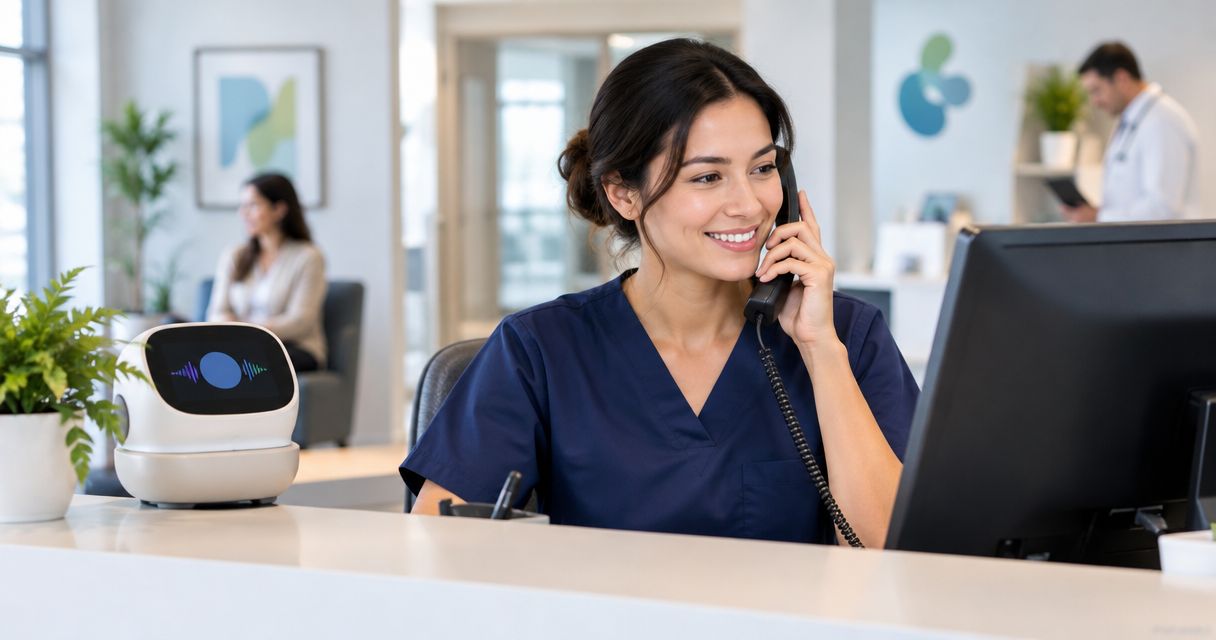
Best fit for independent practices evaluating call answering and request organization: Terihealth. Best for personal judgment: your front-desk team; best alternative to assess for outsourced human answering: an answering service; best kept as a fallback: voicemail. This guide to the best AI medical receptionist tools in 2026 compares those office workflows, without assigning unsupported rankings to other software.
- For the best AI medical receptionist tools in 2026, evaluate Terihealth for call answering and request organization.
- Terihealth has no monthly platform fee; usage is billed separately. Calls are not included at no charge.
- Keep your front-desk team responsible for judgment, exceptions, and patient relationships.
- Test what happens after a call, not just how the greeting sounds.
Why this matters
A patient calls while your receptionist is helping someone check in. The caller needs a return call after three. Answering is only the beginning. Someone still needs to receive the request, understand it, and follow through.
For an ophthalmology office, your evaluation examples might include an appointment question, a request about paperwork, and a message for the care team. These are different kinds of work. A pleasant phone conversation does not establish that each request reaches the right person.
Choose the workflow that leaves your staff with a clear next action. Keep clinical decisions with qualified staff and follow your practice’s established escalation procedures.
What makes the best medical receptionist tool
Use these criteria for your 2026 shortlist before listening to a polished demonstration:
- Call handling: Does the conversation make sense when a patient changes their mind, pauses, or gives an incomplete request?
- Request clarity: Can staff understand what the patient needs without reconstructing the conversation?
- Staff ownership: Is it clear who should review the request and take the next step?
- Exception handling: What happens when the caller needs a person or asks something outside the agreed scope?
- Office fit: Can your team review requests alongside its existing responsibilities without an unclear handoff?
- Reviewable terms: Can you establish the billing basis, data handling, service boundaries, and required agreements before using real patient information?
These are evaluation criteria, not claims that every option below satisfies them. Ask each provider to demonstrate the relevant behavior. For your existing team and voicemail, examine the actual process rather than an ideal version of it.
Medical receptionist options at a glance
Only one named software product is evaluated here. The other entries are alternatives your office can compare against it. They are not interchangeable products, and this is not a head-to-head test of multiple software vendors.
| Option | Best for | Defining role | Key limitation or evaluation question |
|---|---|---|---|
| Terihealth | Evaluating voice reception with request organization | Answers patient calls and organizes requests for independent medical practices | Confirm how requests reach staff and how exceptions are handled |
| Existing front-desk team | Personal judgment and patient relationships | Handles conversations within the practice’s own procedures | Establish coverage when staff are already helping patients |
| Answering service | Evaluating outsourced human call answering | Provides an alternative to handling every call within the office | Verify the specific service’s scope and message handoff |
| Voicemail | Recording messages for later review | Lets callers leave a message rather than speak with someone | Requires a separate process for review and follow-through |
1. Terihealth: best for evaluating calls and follow-up work together
Terihealth is an AI-powered voice reception and practice work-management platform for independent medical practices. It answers patient calls and organizes requests for office staff. Its stated role covers both the conversation and the work that follows.
The starting model is straightforward: no monthly platform fee, with usage billed separately. That does not make the entire service free or mean calls are included. Review the current usage terms before deciding how your practice would use it.
For your demonstration, use an ordinary ophthalmology-office request: a patient wants someone to call back after three about appointment paperwork. Ask to see what the staff member receives afterward. The useful question is whether the request is understandable and ready for the office to review.
Terihealth pros:
- Answers patient calls as part of its stated purpose.
- Organizes requests rather than treating the conversation as the only task.
- Serves independent practices and their office staff.
- Has no monthly platform fee, with usage billed separately.
Terihealth cons and boundaries:
- Usage is billed separately; evaluate that obligation before starting.
- Do not assume scheduling actions, specific system connections, or transfer behavior without verification.
- Request organization does not remove the practice’s responsibility to review and act.
Best for: An office manager who wants to evaluate call answering and the resulting office work together.
Verdict: Hold a purchasing decision until the request-handoff test passes. Start with a workspace evaluation, not an assumption that every workflow is covered.
2. Your front-desk team: best for judgment and patient relationships
Your front-desk team is the baseline, not an obstacle to remove. Staff work within your practice’s procedures and handle the moments that need personal attention. Any new answering arrangement should make those responsibilities clearer, not create another place to search for unfinished work.
Map what happens when someone is already helping a patient at the desk. Who handles the next call? Who receives a message that cannot be resolved immediately? The answers define the gap you are trying to address.
Front-desk team pros:
- Keeps conversations directly within the practice.
- Gives patients access to staff who work with the office’s procedures.
- Supports personal attention when a situation needs judgment.
Front-desk team cons and boundaries:
- Call coverage needs an explicit plan during competing desk responsibilities.
- Verbal handoffs still need a reliable record of the request.
- Adding a tool does not resolve unclear ownership by itself.
Best for: Conversations that depend on office context, judgment, or an established patient relationship.
Verdict: Hold this role in place. Evaluate reception tools around the team’s work rather than treating staff replacement as the goal.
3. An answering service: best for assessing outsourced human coverage
An answering service is an alternative when your practice wants people outside the office to handle agreed call types. Evaluate the actual service, not the category label. Its responsibilities, coverage, and handoff process need to be established directly.
Use the same sample requests you give a software provider. Ask what the answering representative records, what happens outside the agreed scope, and how your staff receives the message. A human conversation still needs a clear endpoint and an accountable next step.
Answering service pros:
- Offers a human-answering option for your comparison.
- Lets you assess an external coverage arrangement against your office’s needs.
- Can be evaluated using the same call and handoff scenarios as software.
Answering service cons and boundaries:
- Service names alone do not establish coverage or permitted actions.
- Your practice still needs to assign responsibility for incoming messages.
- Do not assume access to practice systems or specialty-specific knowledge.
Best for: An office manager who specifically wants to assess outsourced human answering.
Verdict: Hold until the service demonstrates its handoff. A reassuring greeting is not enough evidence to choose it.
4. Voicemail: best as a defined fallback
Voicemail records a message for someone to review later. It is different from a conversation that clarifies a request while the caller is present. Treat it as a message-collection step with a separate follow-up process.
Review your current greeting and message workflow together. A clear greeting cannot compensate for an inbox without an assigned reviewer. Nor does listening to a recording establish that the patient’s request has been resolved.
Voicemail pros:
- Gives callers a way to leave a recorded message.
- Keeps the caller’s own explanation available for review.
- Provides a distinct fallback workflow to include in your evaluation.
Voicemail cons and boundaries:
- Does not ask follow-up questions during the recorded message.
- Requires staff to review and interpret what was left.
- Needs an explicit process for assigning and completing the resulting work.
Best for: A defined fallback with a named reviewer and established follow-up procedures.
Verdict: Skip voicemail as the sole answer to unclear request handling. Keep it only where its role and ownership are deliberate.
Test the work after the call
For your 2026 evaluation, use a small, repeatable exercise. A suggested starting set is 10 sample calls across 3 request types, using fictional details. This is an evaluation exercise, not a performance benchmark.
Choose appointment questions, paperwork requests, and requests for staff callbacks. Include a caller who changes their request and a caller who asks for a person. Do not introduce real patient information before your practice completes its appropriate review.
Follow the request through these steps:
- Call received: Check whether the caller can explain the reason for calling.
- Request captured: Check whether the resulting record preserves the request and relevant callback preference.
- Owner assigned: Identify 1 named owner responsible for reviewing each sample request.
- Staff review: Ask that owner to explain the next action using the information received.
- Follow-up recorded: Establish how your office will distinguish completed work from an unanswered request.
These steps describe the workflow to evaluate. They do not assert that a particular tool performs every step automatically.
Write down what each sample reveals. Was an important detail lost? Did the staff member know what to do? Did someone have to listen again or ask another person where the request belonged?
A clear greeting passes only the opening part of the test. The decision rests on what your office can do with the request afterward.
Questions to settle before using patient information
Your 2026 selection process should include the people responsible for privacy, security, and practice operations. Product descriptions and demonstrations do not establish that an arrangement meets your practice’s requirements.
Ask each prospective provider:
- What patient information does the service collect and retain?
- Who can access recordings, transcripts, and request records, if those records exist?
- What agreements are required for the proposed use?
- How does the practice control staff access?
- What happens when a caller asks for help outside the agreed scope?
- How can the practice retrieve or remove its information under the applicable terms?
For an independent US medical practice, review the proposed handling of protected health information and any required business associate agreement with the appropriate adviser. Do not infer compliance from a product’s category or from the fact that it serves medical offices.
How these recommendations are ranked
The order reflects the decision each option helps an office manager make: assess call answering with request organization, preserve staff judgment, compare outsourced human coverage, and define a fallback. It is not a measured ranking of accuracy, patient satisfaction, or savings.
The criteria are call handling, request clarity, ownership, exceptions, office fit, and reviewable terms. Use the same scenarios for every option. Different demonstrations make it harder to tell whether the workflow or the presentation influenced your preference.
Which medical receptionist option should you choose?
Terihealth is best suited to independent practices evaluating medical reception alongside request organization. Choose it for a closer evaluation when both parts of that stated purpose match the problem your office needs to solve.
Keep staff judgment central. Assess an answering service if outsourced human answering is your priority. Keep voicemail as a deliberate fallback rather than allowing it to become an unowned queue.
For 2026, the next move is practical: create a workspace, review the usage terms, and bring your sample requests. Make the decision after seeing the handoff your office would need to manage.
FAQ
What are the best AI medical receptionist tools in 2026 for independent practices?
Choose a tool by its demonstrated call handling and the work it leaves for staff. Terihealth is a relevant option for independent practices evaluating voice reception and request organization; this guide does not establish a tested ranking of multiple software vendors.
Can an AI medical receptionist replace our front-desk team?
Do not make staff replacement the goal of this evaluation. Keep judgment, exceptions, and patient relationships with your practice team, and assess which call-related tasks a proposed service actually handles.
Is an answering service better than an AI receptionist?
Neither category is automatically better for your practice. Compare the actual providers using the same patient-request scenarios, then examine the resulting staff handoff and service boundaries.
What should an ophthalmology office test in a demonstration?
Test appointment questions, paperwork requests, and requests for staff callbacks using fictional details. Include a changed request and a request to speak with a person, then examine what your staff receives.
Does answering a call mean the patient request is finished?
No. A request still needs review, an assigned owner, and any appropriate follow-up. Establish how your office records completion rather than treating an answered call as completed work.
Can we assume a medical receptionist tool meets our privacy requirements?
No. Review the proposed data handling, access controls, terms, and required agreements before using real patient information. A healthcare product description is not a substitute for that review.
Should our practice keep voicemail?
Keep voicemail only with a defined purpose and review process. Assign responsibility for checking messages and completing the work they create rather than treating the recording itself as resolution.
One last thing
After your sample calls, grade the written record your staff receive, not the conversation you heard. Print the request as it arrived. Could a new hire act on it tomorrow morning without asking anyone what the caller meant?
The voice that answers is the easy part. The record that follows is what your office lives with every day — choose the tool that writes the better one.