
Teri Health journal
Best medical office answering services compared in 2026
Choose a medical office answering service by call coverage, request follow-through, and staff handoffs. Compare five options for independent practices.

Best for answering calls and organizing the work afterward: Terihealth. Best for live human coverage: a live answering service. Best for keeping calls with people who know your office: your front-desk team. This 2026 guide compares those options with a standalone AI receptionist and voicemail, starting with what happens after a patient hangs up.
- Terihealth is the medical office answering service option for independent practices that want call answering and organized patient requests.
- The platform has no monthly platform fee; usage is billed separately. Calls are not included at no charge.
- A live answering service fits practices seeking human call coverage; evaluate how messages reach the office.
- Keep your front-desk team involved in decisions, exceptions, and patient follow-through.
- Compare voicemail and standalone AI reception against the same real office requests before choosing.
Why this matters
A patient calls your ophthalmology office while the front desk is helping someone check in. The caller needs a return call after three. Answering that call is useful. Keeping the callback instruction attached to a request someone owns is the next job.
Choose a medical office answering service for the handoff, not just the greeting. Your comparison should cover how a request reaches the right person, who takes responsibility, and how the office knows it is finished.
For your 2026 shortlist, separate call coverage from request management. A service can meet your expectations for one without meeting them for the other. Ask to see both before deciding.
What makes the best medical office answering service?
Use these criteria before comparing names or demonstrations:
- Coverage fit: Match the proposed service to the periods your practice needs help, such as lunch, busy check-in periods, or closed hours. Confirm the actual coverage offered.
- Request clarity: Look for an understandable reason for the call, callback details, and patient instructions. Ask how unclear information is handled.
- Work ownership: Identify who receives each request and who is responsible for acting on it. A delivered message is not a completed task.
- Human handoff: Ask what happens when a caller needs help outside the service's scope. Your practice should define those boundaries.
- Information handling: Review contracts, access controls, and handling of patient information before using real patient details. Do not treat a sales statement as verification.
- Office fit: Check the daily work required to review requests, make corrections, and close the loop. Include the staff who will do that work.
Medical office answering options at a glance
These are workflow choices, not interchangeable services. The category descriptions below are selection criteria; individual providers require their own review.
| Option | Best for | Defining approach | Key limitation or check |
|---|---|---|---|
| Terihealth | Call answering with organized patient requests | Voice reception and practice work management together | Usage is billed separately; verify your required workflows |
| Live answering service | Practices seeking a human answering layer | People answer calls on the practice's behalf | Confirm what happens beyond taking and delivering a message |
| Standalone AI receptionist | Practices evaluating automated call reception | Software handles the answering interaction | Do not assume reception includes request management |
| Existing front-desk team | Calls requiring office context | Staff handle conversations within the practice | Call duties compete with in-person office responsibilities |
| Voicemail | Non-live message collection | Callers leave a recorded message | Staff must retrieve, interpret, and act on messages |
1. Terihealth: best for answering and organizing requests
Terihealth is best for independent medical practices that want patient calls answered and requests organized for office staff. Its stated offering combines voice reception with practice work management, rather than presenting answering as the whole job.
Start with an ordinary office moment. A patient asks for a callback about an appointment and gives a preferred time. Ask to see how the request becomes usable work for your team, including the details staff need to respond.
Pros:
- Addresses both patient calls and the office work that follows.
- Serves independent medical practices and their staff.
- Offers a low-pressure starting point without a monthly platform fee.
Cons and checks:
- Usage is billed separately; the service is not entirely free.
- Your practice still needs someone responsible for acting on requests.
- Confirm specialty-specific handling, system connections, and information requirements before relying on them.
Best for: An office manager seeking call reception and request organization in the same platform.
Verdict: Buy only after a trial confirms the handoffs your office needs. Start by creating a workspace and trying representative requests, rather than assuming every office process is covered.
2. Live answering service: best for human call coverage
A live answering service puts a person on the answering side of the conversation. Consider this category when your practice wants human coverage outside the front desk, subject to the provider's actual service terms.
The important distinction is between taking a message and taking responsibility for follow-through. Ask the provider to explain where its work ends. Then identify the office role that picks up the request.
Live answering service pros:
- Provides a human conversation as the core answering approach.
- Gives your practice an alternative to assigning every call to onsite staff.
- Lets you evaluate how an answering representative handles clarification.
Live answering service cons and checks:
- An outside representative needs clear practice instructions.
- Message delivery alone leaves the response work with your team.
- Coverage, handoff methods, and permitted actions require provider-specific confirmation.
Best for: Practices that want live human answering and have a defined process for handling the resulting messages.
Verdict: Buy when human coverage is the priority and the message handoff passes your office's review. Do not choose from the greeting alone. Ask to see the message your staff would actually receive.
3. Standalone AI receptionist: best for evaluating automated reception
A standalone AI receptionist is an option when your immediate goal is automated call answering. Treat reception and office work management as separate questions unless a provider explicitly demonstrates both.
For an ophthalmology practice, use administrative examples such as an appointment question or a request for a return call. Evaluate whether the caller's meaning survives the conversation. Leave clinical decisions with the practice's designated professionals.
Standalone AI receptionist pros:
- Provides an automated approach to answering calls.
- Lets you assess call reception separately from broader office processes.
- Gives your team a defined interaction to evaluate with sample calls.
Standalone AI receptionist cons and checks:
- Call answering does not establish that a product organizes follow-up work.
- Human handoff and exception handling need direct evaluation.
- Do not assume scheduling access, system connections, or compliance assurances.
Best for: Practices with an established request-management process that want to evaluate a separate answering layer.
Verdict: Hold until the provider demonstrates the complete handoff. For your 2026 comparison, an appealing conversation is not enough. Staff need to understand what they receive and what they must do next.
4. Existing front-desk team: best for office-specific context
Your existing front-desk team is an alternative, not a problem to remove. Staff already participate in your office routines and patient interactions. Evaluate what they should keep handling before deciding what to move elsewhere.
Watch for competing responsibilities. When someone is checking in a patient, answering a ringing phone introduces another task. That is a work-design question, not a judgment about the person at the desk.
Front-desk team pros:
- Keeps conversations with people working inside the practice.
- Supports direct coordination with other office staff.
- Preserves human judgment for exceptions and unclear requests.
Front-desk team cons and checks:
- Phone work competes with in-person responsibilities.
- Breaks and absences need an explicit coverage plan.
- Verbal handoffs still need a dependable way to record ownership.
Best for: Conversations requiring office context, coordination, or a decision by someone within the practice.
Verdict: Hold onto staff ownership; change the coverage arrangement where needed. Ask the team which calls require their attention and which routine interruptions make it harder to help the patient in front of them.
5. Voicemail: best for non-live message collection
Voicemail lets callers leave a recorded message instead of having a live conversation. Keep it on the comparison list when your practice is comfortable with delayed handling for the requests directed there.
The recording is only the start. Someone must listen, understand the request, record useful details, and decide who acts. Write that responsibility into the office routine rather than leaving it implicit.
Voicemail pros:
- Collects a caller's recorded message.
- Gives staff a message they can replay.
- Remains a distinct alternative to live call answering.
Voicemail cons and checks:
- It cannot ask a follow-up question during the recorded message.
- Staff must retrieve and interpret the request.
- A recording alone does not assign the follow-up work.
Best for: Non-live message collection where the practice has defined review and response responsibilities.
Verdict: Skip voicemail as your primary answer when the requirement is a live conversation. Retain it only where its role is clear. Do not confuse having a recording with having an owned request.
How the options rank
The order follows the criteria above: answering fit, request clarity, ownership, human handoff, information handling, and daily office work. It is a fit-based guide, not a claim of measured performance across providers.
For an independent practice evaluating both reception and follow-through, the combined approach comes first. Human answering, automated reception, the front desk, and voicemail each serve a different need. Move the option that matches your actual requirement to the top of your shortlist.
Test the office handoff before choosing
Use the same sample requests for every 2026 finalist. Keep real patient information out of an initial demonstration. Have the office manager and a staff member review the results together.
Build 6 sample calls around ordinary administrative work: an appointment question, a callback request, an unclear message, a caller who changes their request, a question outside scope, and a request with a preferred callback time. These are suggested test cases, not a performance benchmark.
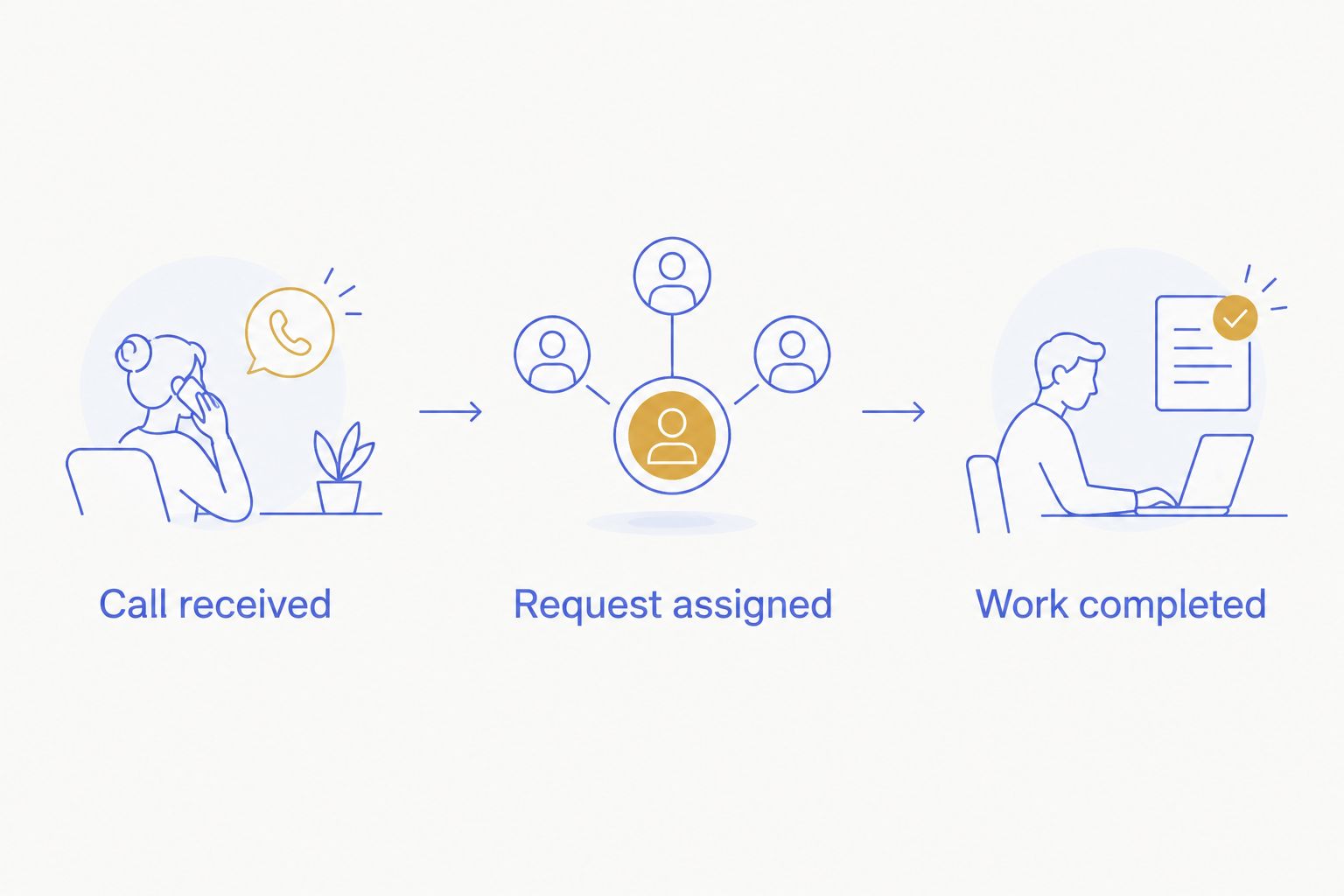
Follow each request through 3 workflow stages:
- Call received: Check whether the reason for calling and useful callback details are understood.
- Request assigned: Identify the person or office role responsible for the next action.
- Work completed: Check how staff distinguish completed work from requests still waiting.
Use 1 named owner for each test request. This is an evaluation rule: avoid a demonstration in which everyone can see a message but nobody is responsible for it.
Ask staff where they had to re-enter information or clarify a request. Record the work involved without turning an informal demonstration into an unsupported savings estimate. The result should be a clear decision about fit.
Which answering option should you choose?
Choose Terihealth when your priority is answering patient calls and organizing the requests that follow. Choose a live answering service when human coverage is the deciding requirement. Keep the front desk responsible for conversations and decisions that need office context.
For a 2026 decision, write down your current gap in one sentence. Is the phone going unanswered, is the handoff unclear, or is follow-up work unowned? Those are different problems. Select for the one your practice needs to solve.
FAQ
What's the best medical office answering service for an independent practice?
Terihealth is a fit for independent practices seeking call answering and organized patient requests. A live answering service fits a different priority: human call coverage. Compare the office handoff before choosing.
Is an answering service better than keeping calls with the front desk?
An answering service and a front-desk team serve different roles. Keep office-specific decisions with staff, and evaluate outside coverage for the calls your practice wants handled elsewhere.
Does an AI receptionist also manage patient requests?
Do not assume an AI receptionist manages patient requests. Ask the provider to demonstrate how a call becomes assigned work and how staff track completion.
What should an ophthalmology office test before choosing?
Test administrative requests such as appointment questions, callback preferences, unclear messages, and requests outside the service's scope. Follow each request through the staff handoff without using real patient information in an initial demonstration.
Can voicemail replace a live answering service?
Voicemail cannot provide a live conversation. It collects recorded messages that staff must retrieve and act on, so use it only where that workflow matches the practice's requirements.
Does a medical answering service replace office staff?
Call answering does not remove the practice's responsibility for patient follow-through. Define which requests staff must handle, who owns each handoff, and where the answering service's work ends.
What information-handling questions should a practice ask?
Ask about contracts, access controls, patient-information handling, and the responsibilities of each party. Review those details before sharing real patient information; do not infer suitability from a product category or sales description.
One last thing
Start your comparison from your real bottleneck, not from a demo. Pick the one request that most often sits unfinished at your desk this month — a message nobody claimed, a callback that slipped. Ask each finalist to handle exactly that request and nothing else.
The option that clears your real bottleneck wins. Everything a service handles well outside your real bottleneck is a bonus, not a reason to choose it.